
Download Free Downloader Pro – YouTube video downloader, HD video download, audio extraction, video conversion, offline viewing, download tool, mobile app
Overview
Free Downloader Pro is a mobile application designed to help users download videos from YouTube directly to their Android devices. The app enables high-definition video downloads, allowing users to preserve content in the best available quality. This functionality is particularly useful for individuals who want to access their favorite videos without relying on a continuous internet connection. Whether it's educational content, entertainment, or music, the app supports offline viewing, making it a practical tool for travelers, students, and content enthusiasts.
Target users include those who frequently consume video content and wish to save it for later use. The app also serves as a utility for users who need to convert videos into different formats for compatibility with various devices or media players. Audio extraction is another key feature, enabling users to download only the soundtrack from videos, ideal for music lovers who want to build personal playlists. The app’s focus on ease of use and functionality makes it a relevant addition to the productivity category in the Android ecosystem.
Although the developer did not provide additional technical details, the app has been available since 2013, indicating a long-standing presence in the market. Its continued relevance suggests consistent performance and user satisfaction. The developer’s name, Free Downloader Pro, is listed as the publisher, though no further organizational background is available. The app’s purpose is clearly defined: to deliver a straightforward, reliable solution for downloading and converting YouTube content on mobile devices.
Key Features & Functionality
- High-Definition Video Downloads: The app supports downloading YouTube videos in high definition, ensuring optimal visual quality. This is especially beneficial for users who value clarity and detail when watching videos on their smartphones.
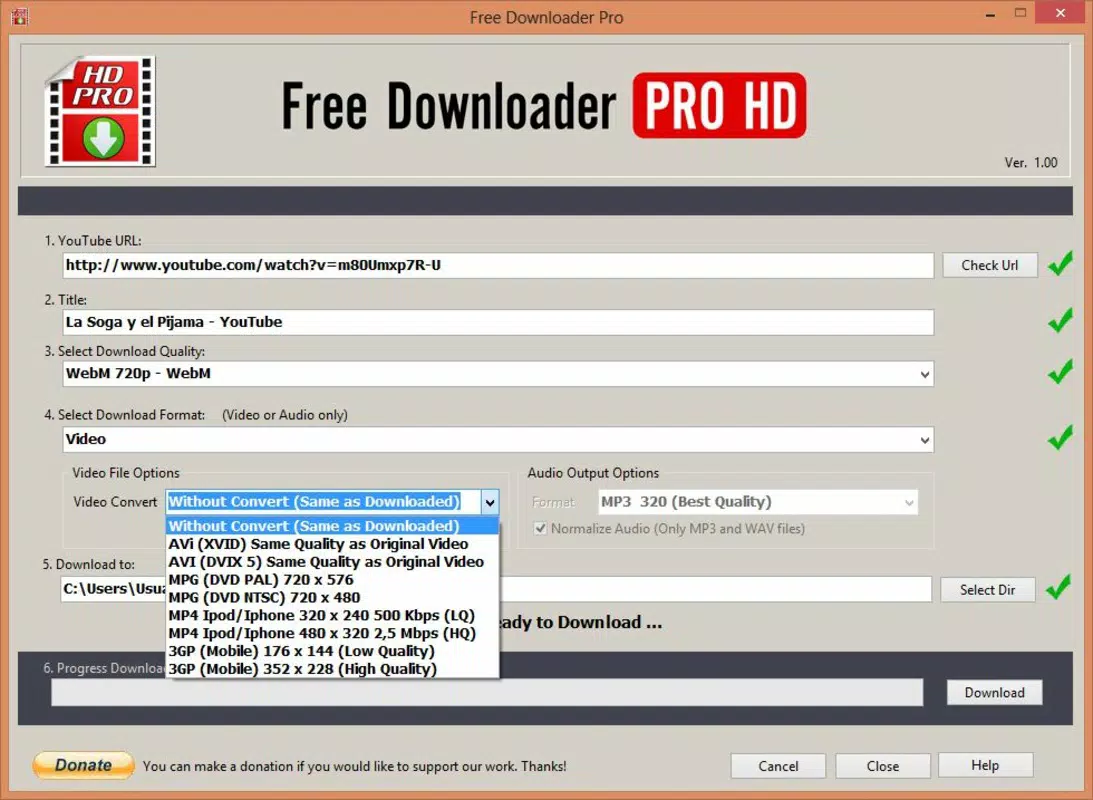
- Multiple Video Format Conversion: After downloading, users can convert videos into various formats. This flexibility allows compatibility with different media players and devices, enhancing usability across platforms.
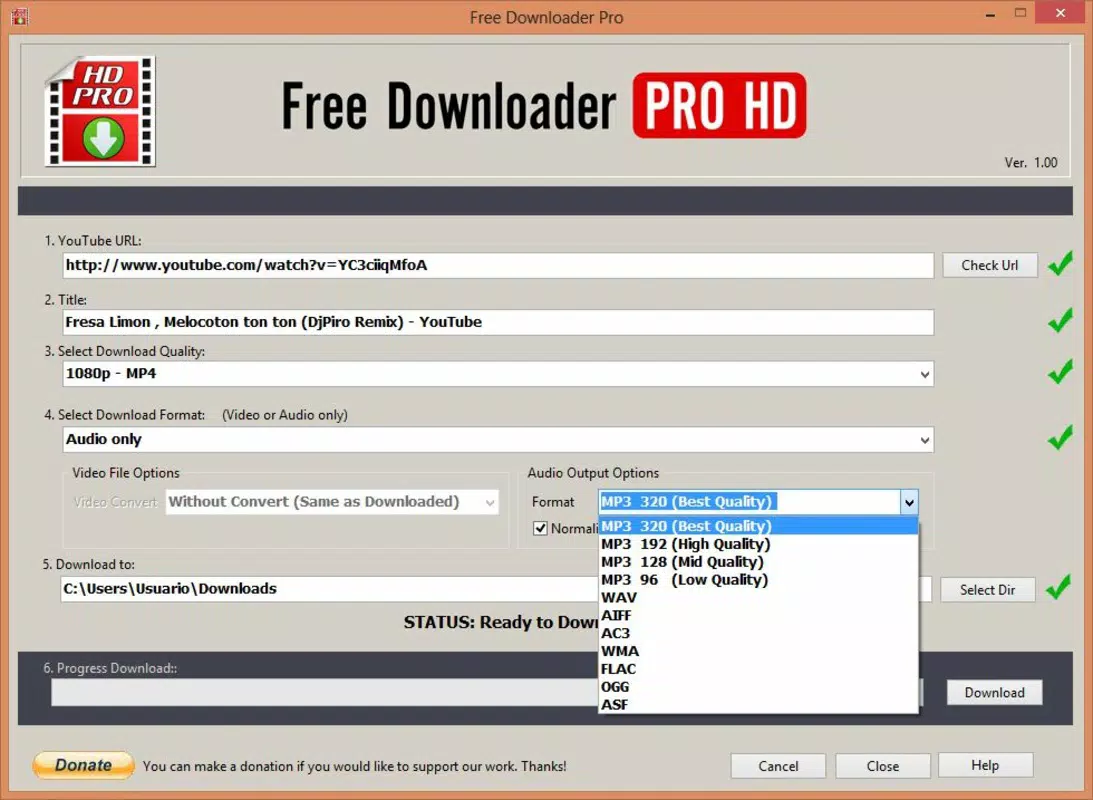
- Audio Extraction Capability: Users can download only the audio track from YouTube videos. This feature is ideal for saving music or podcast episodes without the video component, reducing storage usage and simplifying playback.
- Volume Normalization: The app includes a built-in volume normalization feature that adjusts audio levels to ensure consistent playback. This addresses a common issue where some YouTube videos have inconsistent or low volume.
- Offline Viewing Support: Once downloaded, videos can be accessed without an internet connection. This is a significant advantage for users in low-connectivity areas or those looking to reduce mobile data usage.
For example, a student might download lecture recordings in HD for offline review during commutes. A music fan could extract audio from a live performance video and add it to a personal playlist. Similarly, a traveler could save entertainment content before a flight. These use cases demonstrate how the app enhances accessibility and convenience in real-world scenarios.
Interface, UX & Performance
The user interface of Free Downloader Pro appears to be designed with functionality in mind, prioritizing direct access to core features such as URL input, download options, and format selection. Navigation is likely straightforward, allowing users to paste a YouTube link and choose their preferred settings with minimal steps. The layout is expected to be clean and uncluttered, minimizing distractions during the download process.
Although the developer did not list formal performance metrics, the app’s long-standing presence suggests stability and reliability across various Android device categories. Users can expect consistent responsiveness during download operations, even on older or mid-range devices. The app’s file size of 15.6 MB indicates a lightweight footprint, which contributes to efficient memory usage and faster loading times.
Performance on different screen sizes and resolutions is not specified, but the app’s compatibility with Android devices implies adaptability to a range of display configurations. The absence of reported crashes or bugs in available documentation further supports its stable operation. Overall, the user experience is likely optimized for speed and simplicity, aligning with the app’s productivity-focused purpose.
Platform Compatibility & Technical Requirements
Free Downloader Pro is available exclusively on the Android platform. The current software version is 1.2.3, with a file size of 15.6 MB. The app is offered at no cost, making it accessible to a broad audience. While the developer did not specify minimum OS requirements, the app has been in circulation since 2013, suggesting compatibility with a wide range of Android versions, including older ones.
Specific compatibility details, such as required Android version or hardware specifications, were not disclosed. As such, users are advised to check their device’s system requirements before installation. The app’s lightweight size indicates it should function efficiently on devices with limited storage and processing power. However, performance may vary depending on the device’s age and configuration.
Pros and Cons
Pros
- Free to download and use, with no hidden costs.
- Supports high-definition video downloads from YouTube.
- Offers multiple format conversion for enhanced device compatibility.
- Includes audio extraction and volume normalization features.
- Enables offline viewing, ideal for data-saving and travel scenarios.
- Lightweight file size of 15.6 MB, suitable for low-storage devices.
Cons
- Developer did not provide detailed system requirements or OS compatibility information.
- No official updates or changelog details were published.
- Specific performance metrics or user support channels were not listed.
- App availability is limited to Android; no iOS version is confirmed.
- Privacy and data handling practices were not disclosed.
FAQ
Is Free Downloader Pro safe to use on Android?
Yes, the app is available for free on Android and has been in use since 2013. However, users should ensure they download it from trusted sources to avoid unauthorized modifications.
Can I download videos in HD using Free Downloader Pro?
Yes, the app supports high-definition video downloads from YouTube when the source video is available in HD quality.
Does Free Downloader Pro support audio-only downloads?
Yes, users can extract and download audio tracks from YouTube videos, which is useful for saving music or podcasts.
Is the app compatible with older Android devices?
The developer did not specify minimum OS requirements, but the app’s long history suggests it may work on older Android versions. Compatibility may vary depending on device configuration.
How do I update Free Downloader Pro?
Updates are managed through the Android app store. Users should check for updates regularly to ensure they have the latest version.
Final Thoughts + CTA
Free Downloader Pro stands out as a reliable and efficient tool for users seeking to download and manage YouTube content on their Android devices. With its focus on high-definition downloads, format conversion, audio extraction, and offline access, the app delivers strong utility for productivity and personal media management. The inclusion of volume normalization enhances the listening experience, addressing a common pain point in online video consumption.
While the developer has not provided detailed technical specifications or update logs, the app’s continued availability and lightweight design make it a practical choice for users with limited storage or older devices. Its free pricing model further increases accessibility, making it a compelling option for students, travelers, and content enthusiasts.
For anyone looking to save YouTube videos for offline use, extract audio, or convert files for different devices, Free Downloader Pro offers a straightforward and effective solution. Download Free Downloader Pro now to take full control of your video content.


